Don't Push That Button, Clifford!
Setting up SendGrid Branded links is more difficult than it should be.
Once upon a time last month, the OnlyFelines backend systems, were sending perfectly normal emails to perfectly happy cats. Cats clicked links. The internet worked as intended. Then, t’was Friday morning, I randomly stumbled upon this ticket…
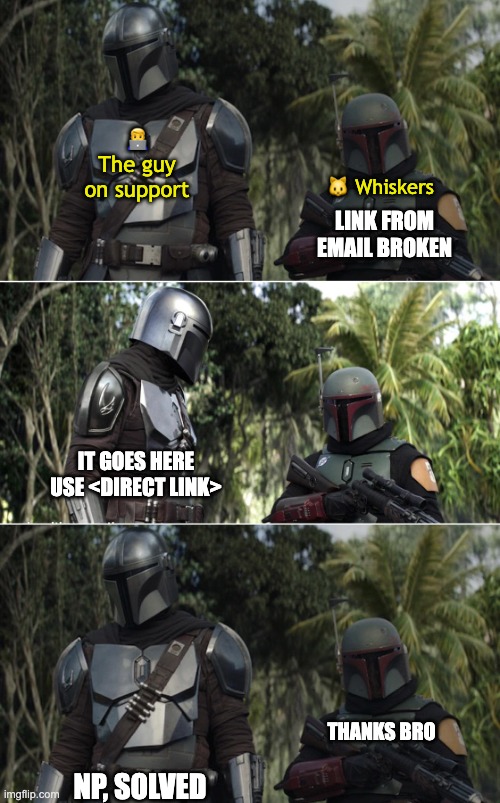
The guy on support moved on. Whiskers moved on. I probably should have moved on. Instead, I thought… WDYM broken? I opened the original link in a clean browser session and got… 🥁 ERR_CERT_COMMON_NAME_INVALID.

We’ve been sending SSL invalid wrapped links in emails for an indeterminate period, and nobody had noticed until that Friday.
Note: This is a true story. Some details, names, brands, URLs etc. are hidden/obfuscated. All the communication is unaltered and kept word-to-word authentic, albeit abbreviated to focus only on important parts.
Whatha’ppened
To find out, I grabbed emails from the past few months from samples in my inbox and I tested the links:
Testing:
- ✅ Test from a chromium browser (Chrome the same) work profile (active OnlyFelines session), open from Gmail → works
- ❌ Chrome/ium browser personal profile, open from Gmail (no session) → certificate error
- ❌ Chrome/ium browser direct visit from anonymous profile → certificate error
- ✅ Safari (any profile and session state) → works!
- ❌ Chrome/ium browser first visit on any profile → certificate error
Every link presented the same error on Chrome/ium in non-cached environment:
NET::ERR_CERT_COMMON_NAME_INVALID
Server presented: \*.sendgrid.net
Browser expected: url0420.onlyfelines.com
Chrome-ish validates SSL on 3xx redirects. Safari doesn’t. Chrome also caches successful destinations, so second visit or having warning dismissed works and does not show the warning. We never hit the error during testing, but first-time Chrome-ish users saw security warnings overlay prior to redirect.
So, why are links wrapped? 👩🏫
Email providers like SendGrid provide stats for opens and clicks. They track clicks by proxying links through their infrastructure:
- Email body contains a link to
https://onlyfelines.com/dashboard - SendGrid before sending, wraps it (replaces) with a unique generated tracking proxy link
https://u12345678.ct.sendgrid.net/ls/click?upn=token123(tokentoken123is somewhere in SendGrid linked to destination URLhttps://onlyfelines.com/dashboard) - Proxy tracks visit on
GETrequests (it must, to work well with plain links) and returns302redirect tohttps://onlyfelines.com/dashboard
Standard SendGrid tracking uses sendgrid.net subdomains, which we’ve been using for some time. Until March this year, when Windows Defender decided that *.ct.sendgrid.net inside an email looks suspicious and blocked all our emails. While it only impacted a handful of curious cats behind a corporate Firewall, we needed to address nonetheless. Solution implemented, as suggested by SendGrid team back then: branded links. Set up url123.onlyfelines.com pointing with CNAME to SendGrid’s infrastructure. Same tracking mechanism, our domain name, no Defender warnings.
Configuration steps we did in March:
- Add DNS CNAME:
url123.onlyfelines.com→sendgrid.net - Verify domain in SendGrid dashboard. It goes green on SendGrid dashboard.
- Enable link branding. It goes green on SendGrid dashboard.
Tested by 2 people that the links linked. Shamefully I was one of them.
End of catsplaining and journey to March setup and back to the future of present day.
Hofixing
So as I found out and did the initial testing, I opened a support ticket to get some help. In SendGrid, everything was green, we did not do any changes for several months, worth a shot to ask for help as I dig deeper.

SSL Certificate Mismatch ...blah blah... All domains show ‘Verified’ status in SendGrid dashboard ...blah blah... DNS CNAME records are correctly pointing to SendGrid infrastructure ...blah blah... Priority: High ...blah blah... Our only option is to disable tracking and lose visibility over performance.
Included reproducible URLs, screenshots, full context. While waiting for the reply, priority was not to send broken links, even if losing tracking data.
So I…
- Deleted branded links → Still wrapped, with the same branded link (!)
- Disable link tracking → Still the same (!!)
- Remove all branded domains → Success! Tracking gone. Removed branded links as well for a good measure.
- I enabled tracking again and got the nice, no SSL issue, default URL, like
u12345678.ct.sendgrid.net
While being possibly flagged as we did with Windows Defender was a risk, emails resumed and we had the tracking data.
After a long 7-ish hours, dear support, happy Friday, just before clocking out:

FFS I am submitting this in as authenticated user in Twilio support portal, so well, well, well, who might we be speaking with today. Ok…
Is this an issue that SendGrid needs to fix? If yes, what is the ETA?
...blah blah... As far as I know, we enabled branded links in March. Can you confirm that branded links were enabled at that time and list any possible changes to the account that could have caused a regression? I don't see any audit log in SendGrid UI. ...blah blah...At this point I did review the documentation more thoroughly. Basically the only valid option for the “SSL for Click Tracking” seemed to be to setup a CDN (to handle SSL), which I know for sure we did not do in March. I became more sure our setup with branded links was flawed.
Time to actually configure SSL correctly, over the CDN.

The CDN Setup
While the only solid docs are for CloudFlare, it only makes sense if you’re already on CloudFlare or willing to move DNS there. Otherwise you need $200/month Business plan for CNAME integration. Needless to say, I chose to implement KeyCDN which with the traffic of hundreds of thousands clicks a month falls into the $4 minimal monthly fee. I setup KeyCDN following the official tutorial. The issue came when I wanted to enable this back in SendGrid.
Without custom CDN setup it works like this:
- Add branded link, e.g.
track.onlyfelines.com - Update DNS records: add CNAME
track.onlyfelines.com→sendgrid.net - Verify in SendGrid console & It goes green
Once you complete the CDN setup though, step 3 always fails and does not go green. You get instead this red:
Expected CNAME record for "track.onlyfelines.com" to match "sendgrid.net",
but got "the-shit-i-just-set-up.kxcdn.com."
I got stuck on this for a bit, but luckily, after the weekend and then some, sweet four days later:
Canistherapy
The reason you are seeing those errors for your links because when you have click tracking enabled, SendGrid will wrap a link it wraps it in http. This causes a problem because your original link is likely https.
...blah blah... To do so you will need to link brand the domain onlyfelines.com. ...blah blah...Once the domain is link branded, you will need to point it to your branded link to an SSL certificate. After the SSL certificate is correctly set up, we can enable SSL click tracking for your links. SSL click tracking allows you to use click tracking with your branded links while providing secure link encryption for your recipients. It ensures that all transferred data remains confidential, similar to how a valid passport allows a traveler to pass through customs. If the SSL certificate is valid, the link will resolve as intended, providing a secure experience for your recipients. More information on how to enabled SSL click tracking can be found here: Enabling SSL for Click and Open Tracking ...blah blah...
Best, Clifford
Ok, so
- “you will need to point it to your branded link to an SSL certificate” is odd way of saying you need to setup a CDN/proxy with custom certificate
- “SSL click tracking allows you to use click tracking with your branded links” Actually, as I found out later, enabling SSL click tracking effectively just tells SendGrid to generate HTTPS links instead of HTTP and does nothing else. And it’s not even the source of the problem, because the warning Chrome presents happens regardless of using HTTPS for request or not.
- “similar to how a valid passport allows a traveler” I hope this was AI-generated and sent unreviewed, because explaining now HTTPS on a valid passport analogy at this point in the ticket, would be as embarrassing for Clifford to read as it was painful to me.
- and finally, the blocker I had and asked about, while adding the branded link with correct CDN setup was not addressed at all.
At this point I had the full CDN setup ready, but I just struggled with enabling the branded links in SendGrid. I wanted to assess whether we indeed saw the issue since March and I wanted to confirm the CDN setup is correct. I assumed at that point, support would “enable SSL click tracking”, adding the CDN at track.onlyfelines.com.
Since there was no proxy setup, discussed issue with certificate (net::ERR_CERT_COMMON_NAME_INVALID) has always been present, correct?
In what time window(s) has been any link branding enabled, until we disabled last week?
Please confirm track.onlyfelines.com is correct and advise on testing for monitoring
You can review if your branded link is pointing to your CDN or custom proxy by using the dig command as such: dig cname track.onlyfelines.com
Ok, no audit logging, no visibility over account changes within SendGrid to detect changes to critical settings, understood.
...blah blah...It is pointing to KeyCDN proxy I setup according to official doc as I mentioned previously. Using dig, we can see that it is pointing to the-shit-i-just-set-up.kxcdn.com.
dig cname track.onlyfelines.com

...blah blah in mono...
Please verify the setup and advise on testing as suggested, or provide clear feedback on which part of setup is not working as expected.
...blah blah...So just a reminder, that as of now I did not have the branded link added in SendGrid console, because the error mentioned prevented the completion with the last step: the verification. For that reason I always cleaned it up (i.e. deleted) the unverified link.
There was no change in the console. Emails still went out with default tracking NOT using the branded link track.onlyfelines.com. I did get a little bit emotional now. (You’re not reading this Clifford, but dog knows I was unjust and I am sorry.)
I ASSUMED you enabled SSL tracking with branded links.
Link Branding is empty
I just tested a single send and link tracking uses ct.sendgrid.net, NOT the discussed (and verified by you personally) track.onlyfelines.com
So please, help me understand:
WHAT did you enable? (since it does not seem to have any effect)
What is the fastest way to complete the setup with the ready infrastructure and configuration for track.onlyfelines.com, which you verified is correctly setup?
At the time of enablement track.onlyfelines.com was present in your account. I now see that you have removed the branded link. As a result, I have disabled SSL click tracking.
...blah blah...It’s bad that it’s both not helpful and not true. There was no branded link when he enabled it. There was no observable impact of whatever he did and I did not do any changes afterwards. The good thing was on the other hand that I’ve found it.

The manual to setup CloudFlare as CDN for SSL click tracking, mentions crucial, clear as day prerequisite, that has nothing to do with CloudFlare in particular, but is instead the missing piece that is so counter-intuitive that I would be surprised if anyone would figure it out:
The instructions also assume that you have set up a valid branded link on your account. This step is essential for the following instructions to work.
Verification is the mandatory step in self-service adding of the branded link. The verification always fails with the correct setup with valid SSL, because at that point, the CNAME always links CDN/proxy, never sendgrid.net. Therefore, adding branded link with SSL enabled, consists of three steps
- You must add it with “SSL broken” setup in your DNS, complete with verify
- Setup CDN
- Change DNS to point to your CDN.
Just that and nothing else, Mr. Bounder. Most importantly, never ever let anyone verify the link in SendGrid ever again. Once you do, the link gets automatically disconnected.
So this was the Friday after. I tested the setup. Links worked. CDN CDNd. SSL SSLd. The only missing piece was “Enabling SSL”, i.e. some flag hidden from UI that tells SendGrid to generate https:// instead of http:// (literally I think it has no other implications). I planned to reach out on Monday. It’s insignificant, since most modern browsers/clients would promote to SSL anyway, but a nice cherry on top. Before I did, I got something else on top entirely.
The 🍒 on top
Fine Monday after, few hours later after requesting the SSL tracking enabled, I noticed that… The branded link was unverified. As a result, it was not used at all, as explained. Someone triggered the verification.
Did you do any changes in past few hours? About 4 hours ago I checked and our branded link was verified (was like that since Friday). Without any action from my team, the branded link turned unverified.
Did you trigger the verification by any chance? The verification should not be retriggered after custom proxy setup.
i.e. “No I did not break it. It was already broken”. This triggered me. It was at least second time I was sure that I was bullshitted. Either he triggered it by accident, because he does not know that it always fails with the CDN setup or it randomly changed. Both options felt really really bad. I fixed the setup and pushed just a little bit harder to callout the BS.
None of my team re-triggered the verification. The branded link has been in verified status since Friday (3 days), and it unexpectedly failed yesterday around the time you typically respond to messages.
Enable SSL tracking as requested ...blah blah...
Advise on root cause/action causing the verification to fail. Consult technical team to review any available logs if needed to find out what/who retriggered the verification on Monday, ...blah blah... between 10:47 AM - 3:57 PM CEST
The inability to identify the root cause of this re-verification would represent a serious reliability concern that could impact our confidence in using SendGrid for production email services.
AUTHENTICATION TOKEN ISSUE a.k.a. I FUCKING BROKE IT
Nothing dramatic happened afterwards. They enabled the SSL links, it worked, no other “authentication token issue” incidents happened since then. Actually there was one more drama, but one I brought onto myself. Story for another time.
Summary
SendGrid’s default branded link setup serves broken SSL certificates to users. Enabling proper SSL requires a CDN, which is one of the most poorly documented rituals on the internet: scattered across multiple guides with critical steps mentioned in only one.
Support contact that took 10 days. SendGrid has no audit logs for account changes, making incident investigation impossible. Support can’t answer basic questions regarding the CDN setup or about when features were enabled or what caused configuration failures, and finally broke working setups while “reviewing” accounts and tried to deny it. For a major email provider, this is embarrassingly bad.
I hold no grudge towards you Clifford, you’re a good boi after all. Conversations used are not to mock you personally, but just to paint the story in its original fidelity.
The fact that we shipped broken certificate errors to production without noticing is on me. The fact that such a trivial/common setup with provider that literally everybody uses (SendGrid, not KeyCDN) is so painful to configure and troubleshoot is puzzling. I just revisited this trauma for you. Thanks for getting to the end!